
Opti5 brings a fast, clear option chain with live Greeks, OI build-up, support and resistance, σ ranges, a strategy builder and minute-by-minute replay. It runs on your PC and connects to your own broker account through the broker's API.
Free trial for new accounts
Every key number in one place, calculated from the full chain and updated live.
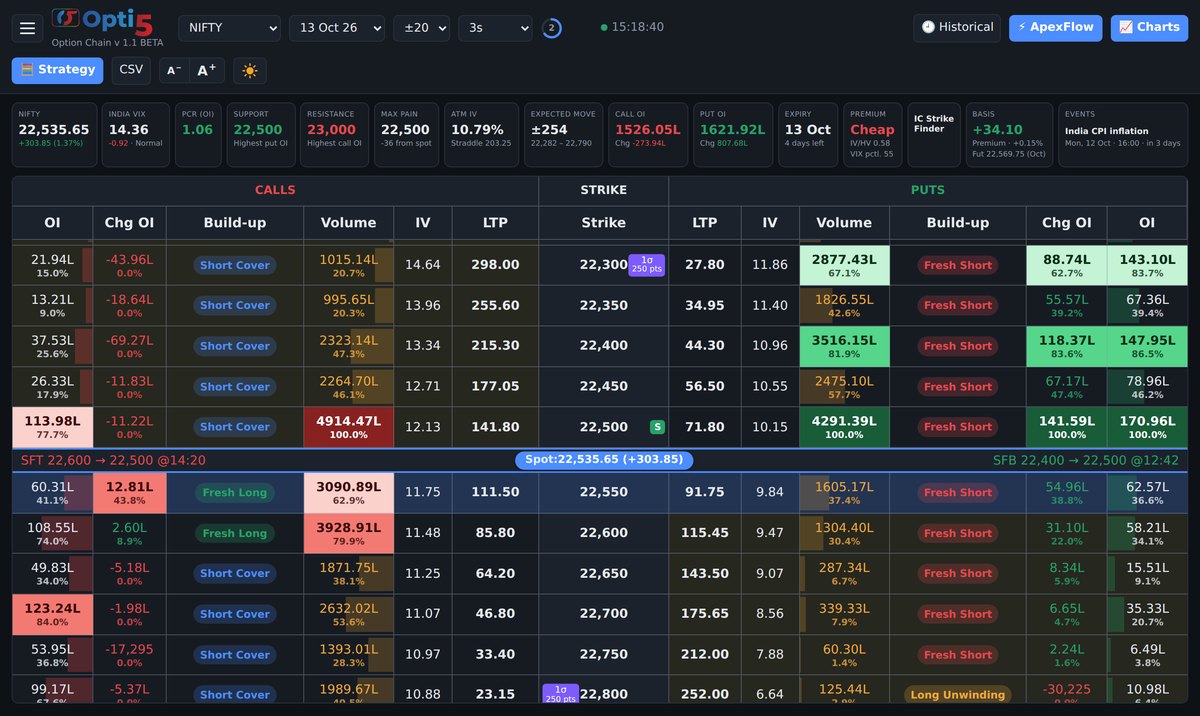
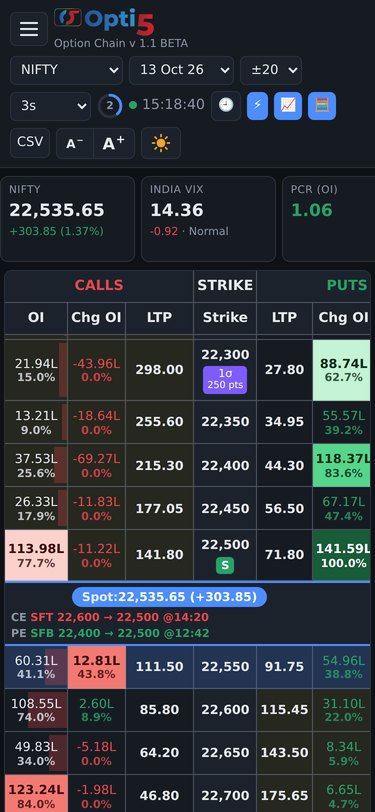
LTP, OI, change in OI, volume, IV and Delta for every strike, refreshing every second, with ITM shading and the ATM row highlighted.
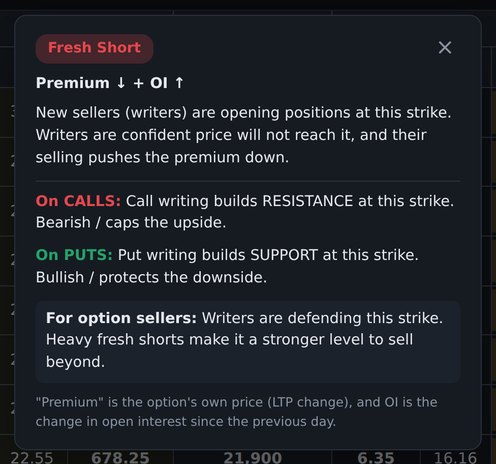
Fresh Long, Fresh Short, Short Cover and Long Unwinding on every strike. Tap a tag to see what it means.
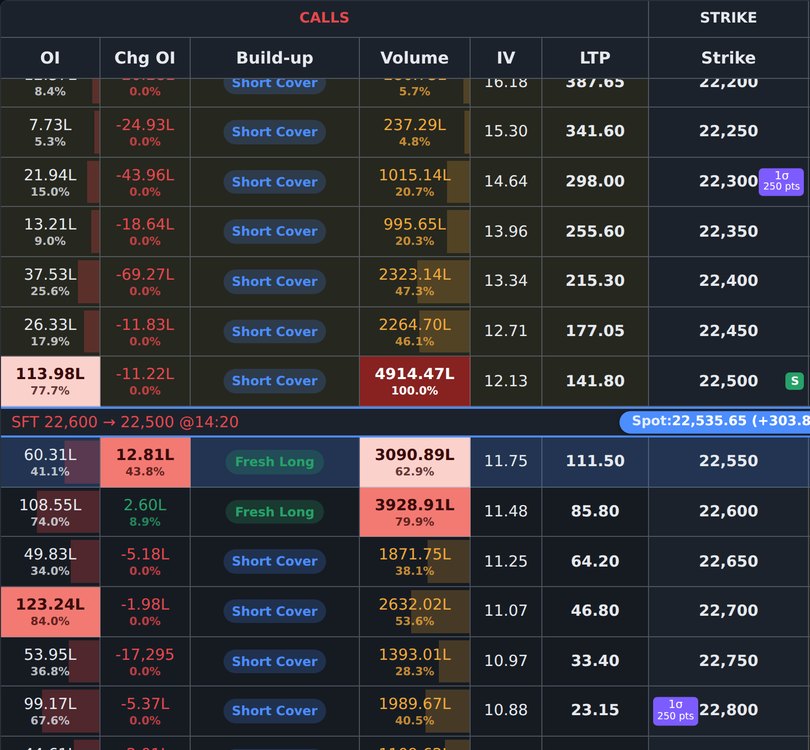
The highest OI, change in OI and volume on each side stand out in solid colour, so key strikes are easy to spot.
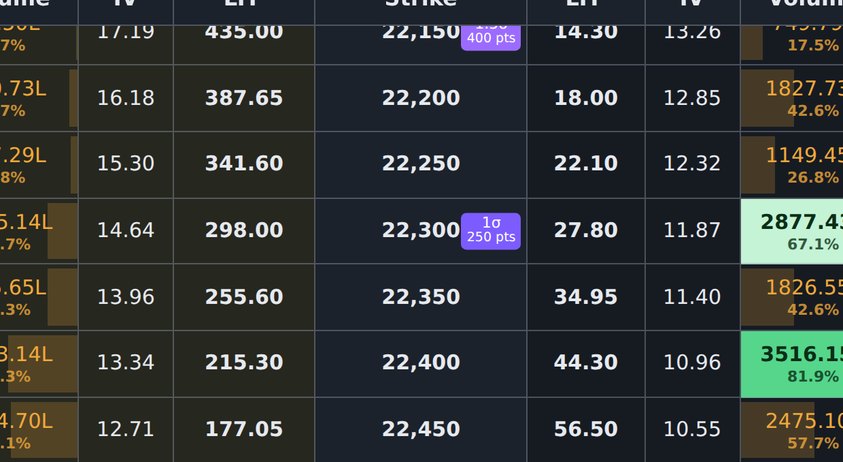
Expected-move badges on the strike column, worked out from ATM IV and the exact time left to expiry.
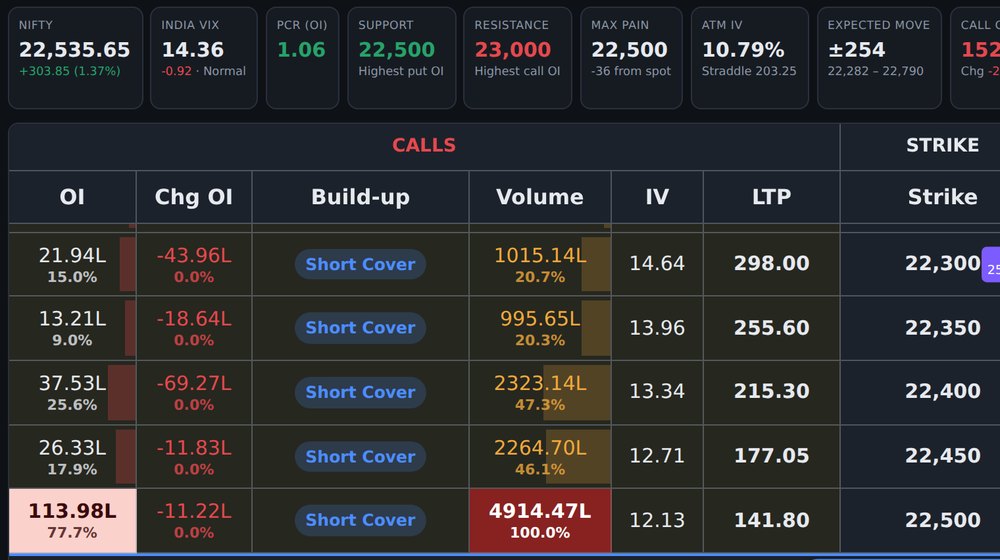
Highest put and call OI, max pain, PCR and call/put OI totals, calculated over the whole chain.
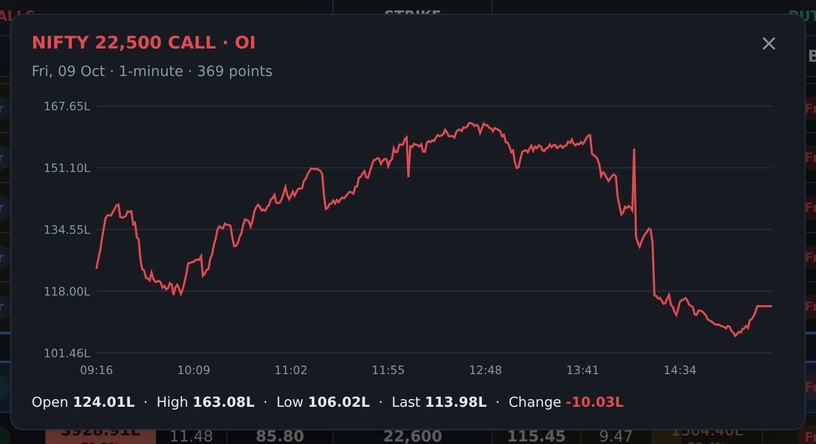
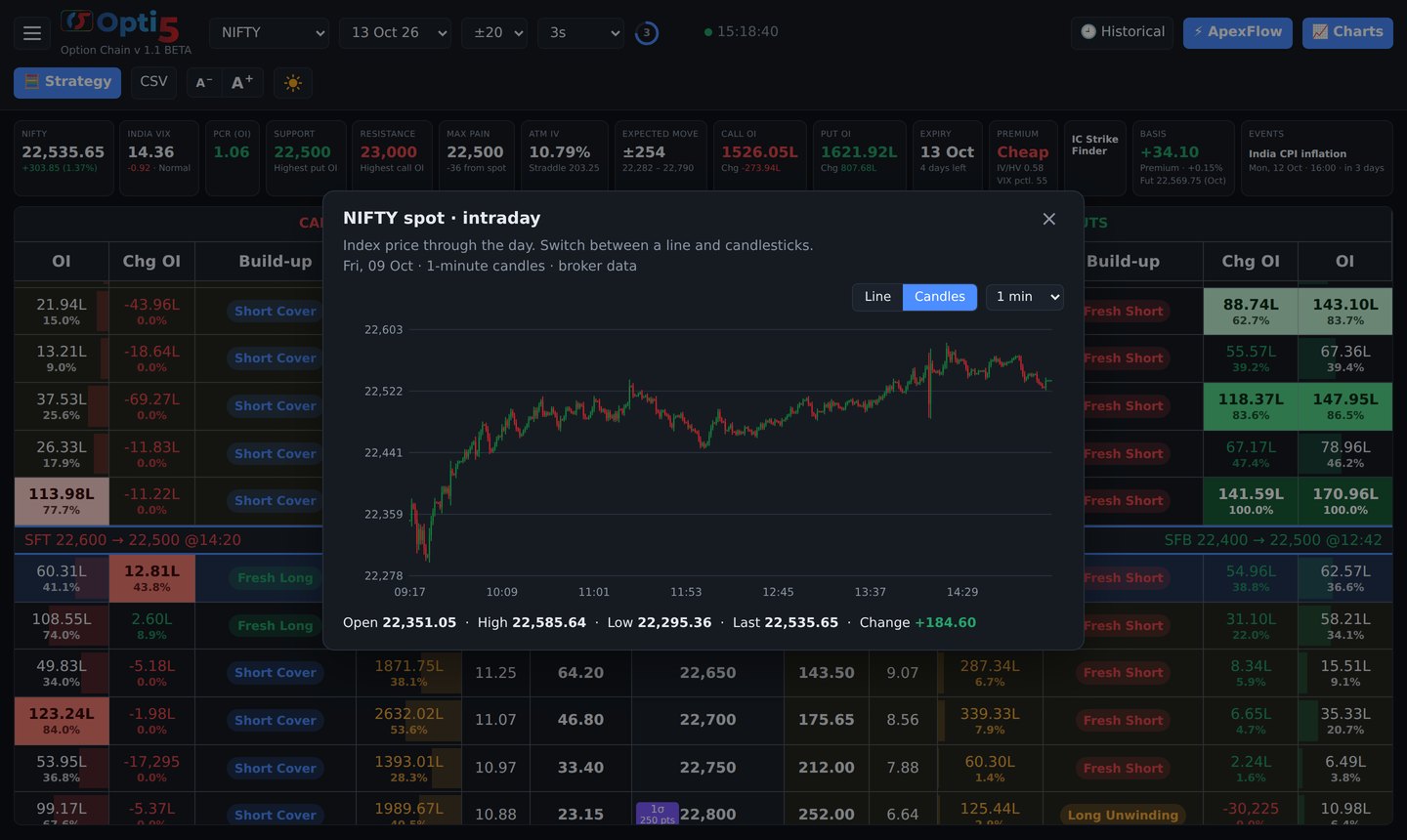
Tap a heading for a chart across strikes, a cell for its 1-minute intraday line, or a summary box for NIFTY, VIX, PCR or IV.
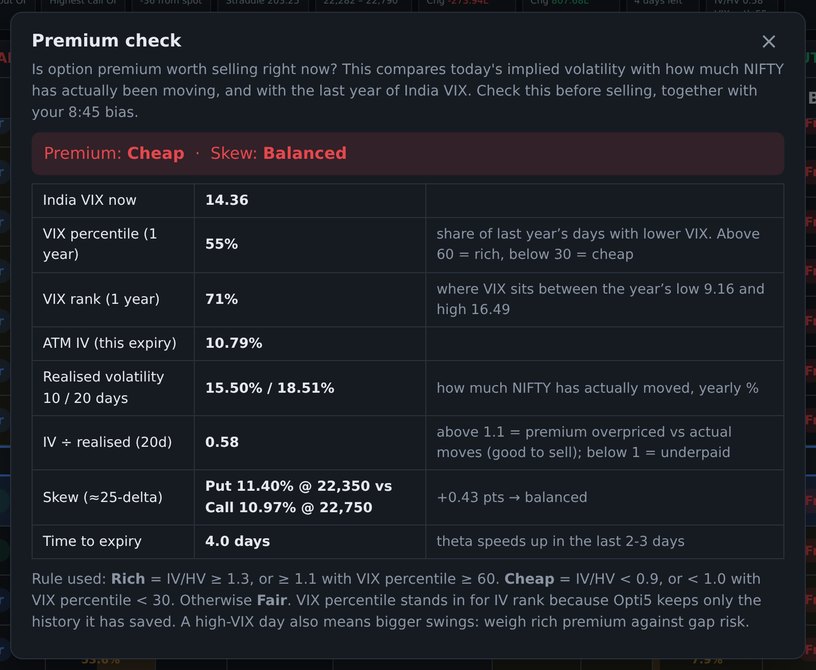
Compares implied volatility with historical volatility and the India VIX percentile, so you can see where volatility stands today.
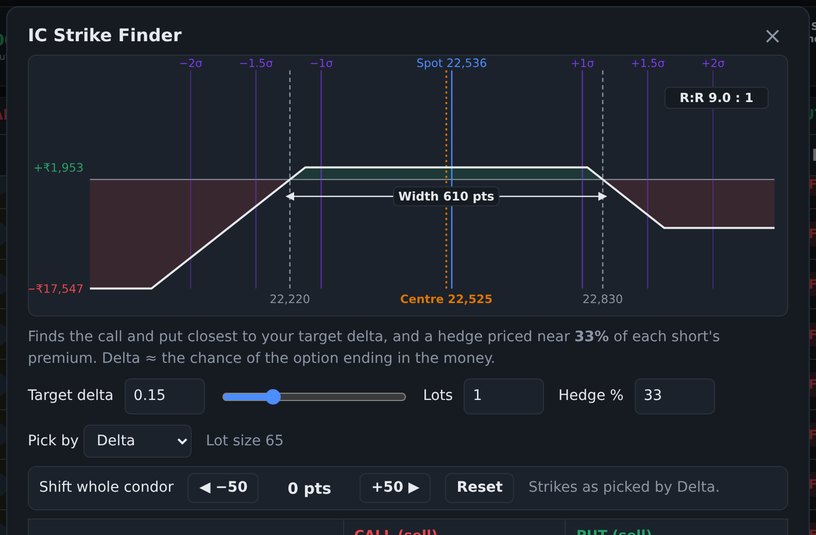
Find strikes by delta, and track the futures premium or discount live.
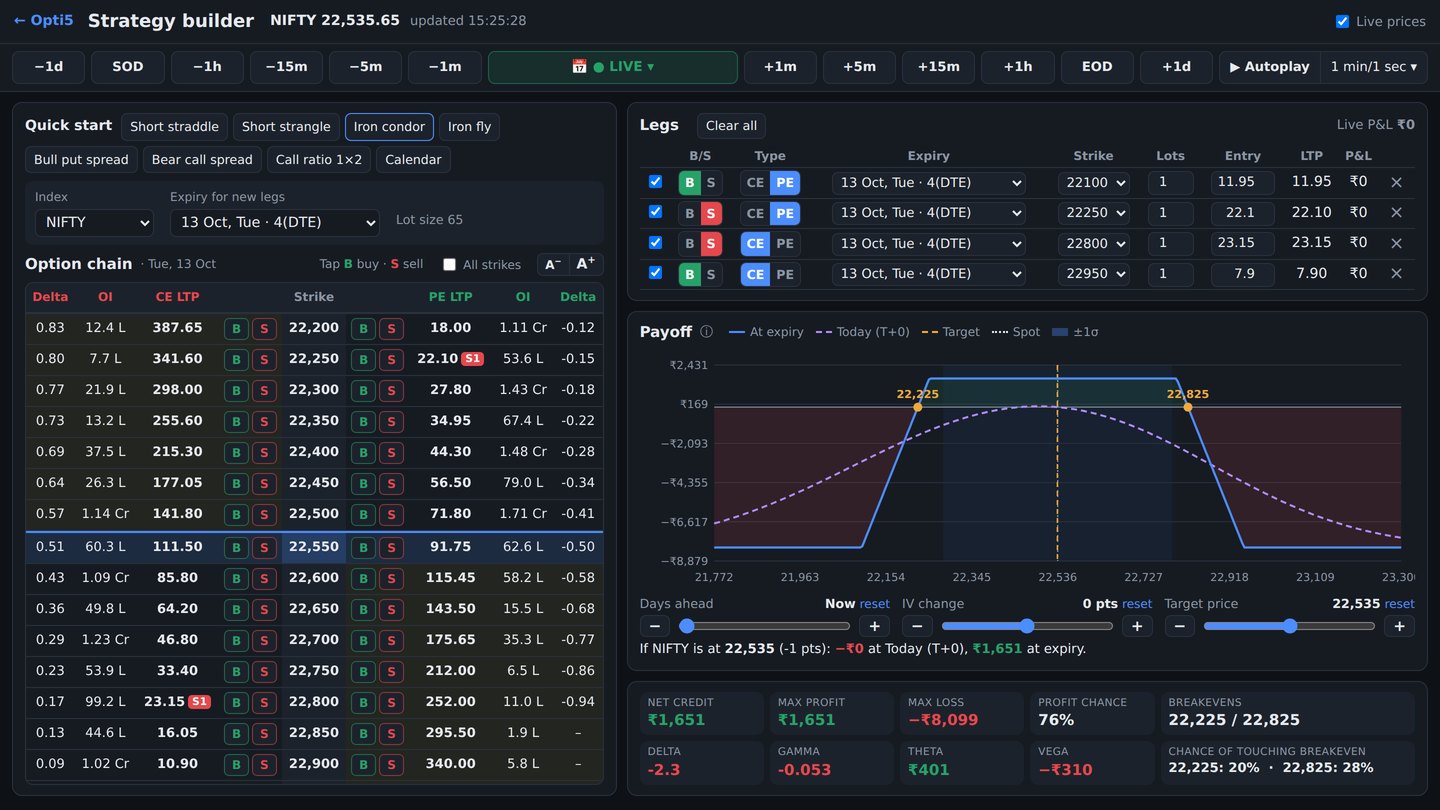
Pick legs straight from the option chain or start from a template, and see the full risk profile of any position.
Opti5 saves the full option chain on your PC minute by minute while it runs. Go back to any saved moment and watch your strategy play out.
Replays use past data for learning and practice. Past results do not indicate future returns.
▶ Try replay in the demo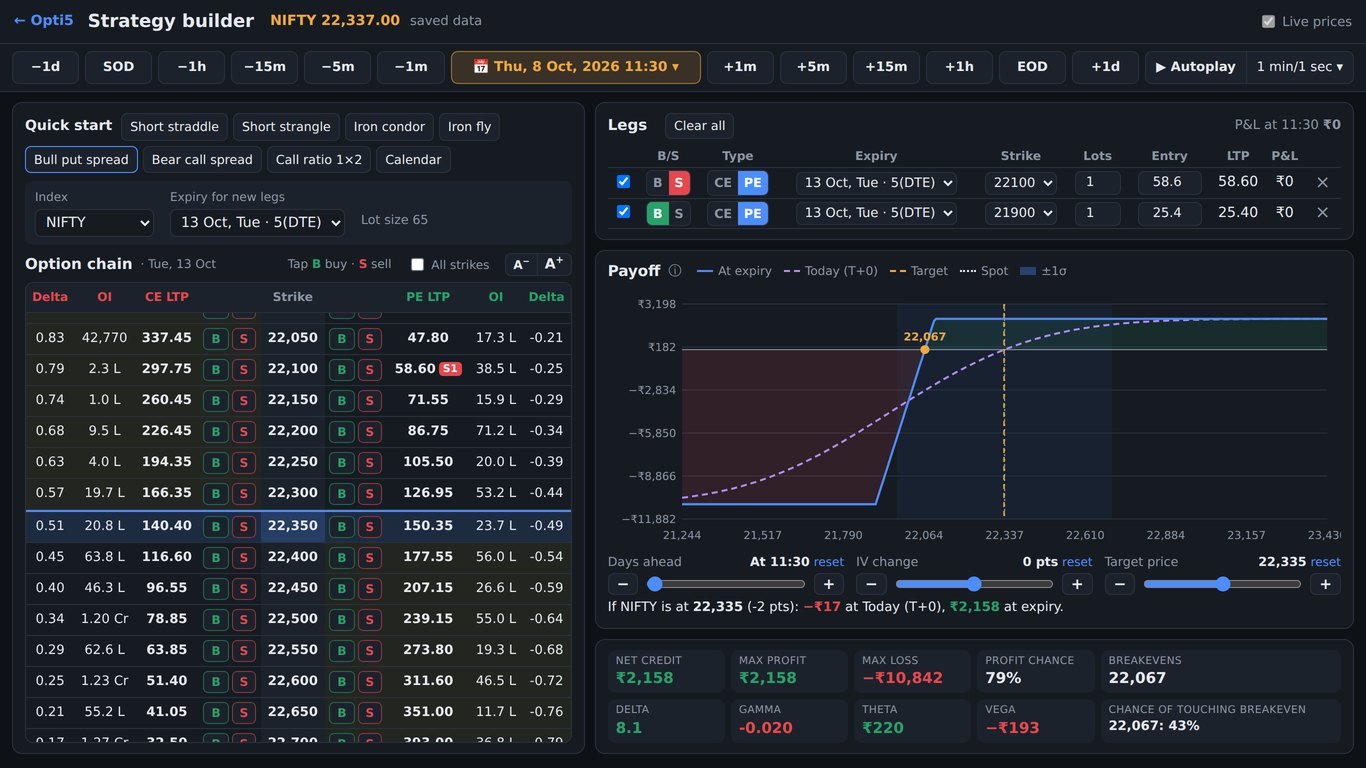
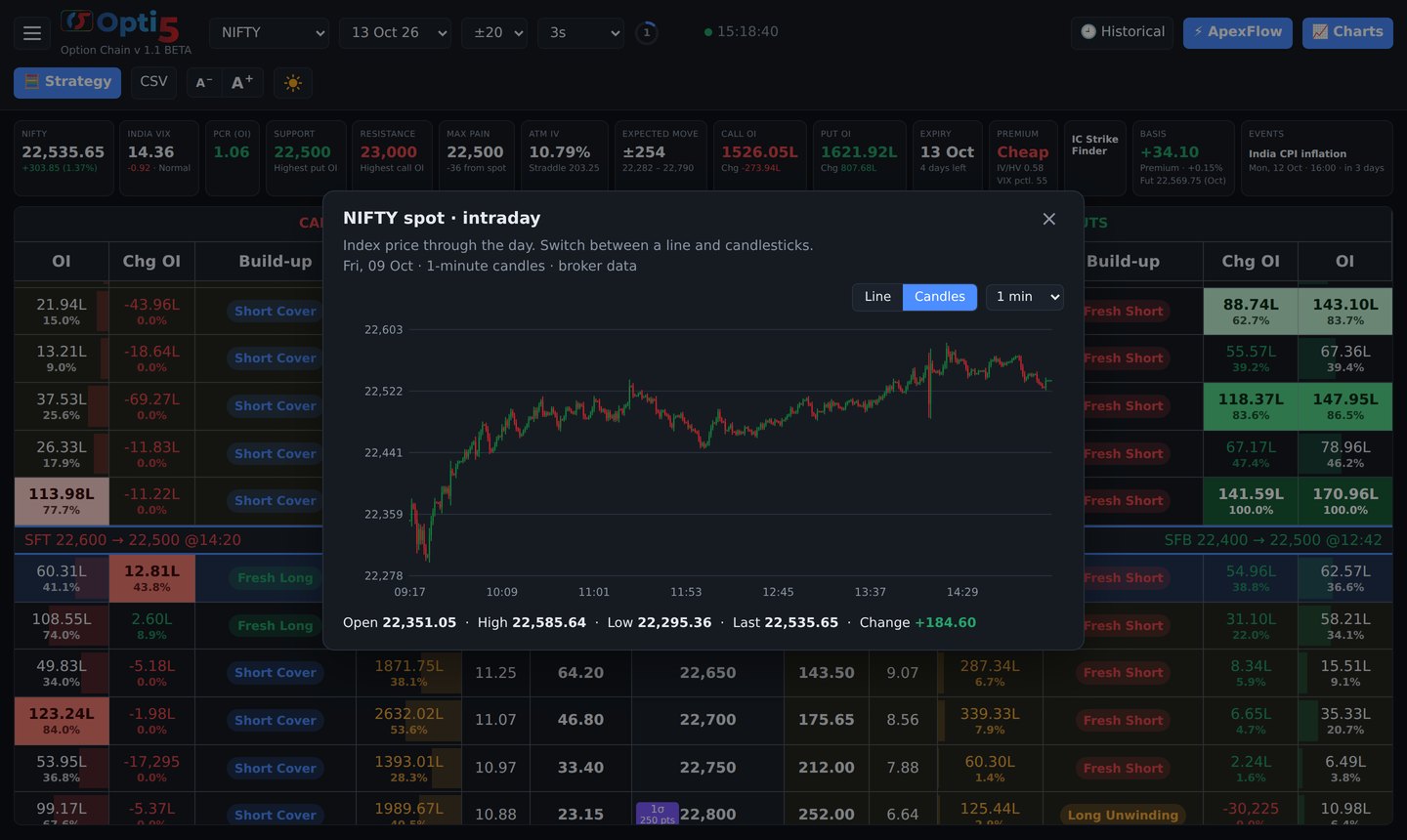
Spot as a line or as 1, 3, 5 or 15-minute candles, plus OI change, PCR, straddle, ATM IV, India VIX with its historical ranges and any single strike.
Opti5 runs on your PC and opens in your web browser. Open the same screen on your phone or tablet over your home Wi-Fi. The layout adapts to small screens.
Create your account with your email address and a password.
Install Opti5 on your Windows PC and connect it to your broker account through the broker's API.
Pick your index and expiry, read the chain, build and stress-test strategies, and replay past days.
Tap Account and create your free account with your email address and a password. New accounts get a free trial; then download Opti5 from My account and pick a plan when you are ready.
Yes, one small download for your Windows PC. Everything Opti5 needs comes included. The tool then opens in your web browser.
From your own broker account. Opti5 connects to your broker through the broker's API, so you see the live NSE and BSE data your broker provides.
No. Opti5 is an analysis tool only. It never places, modifies or cancels orders, and it gives no recommendations or tips.
NIFTY, BANKNIFTY, FINNIFTY, MIDCPNIFTY, SENSEX and BANKEX, with every listed expiry.
New accounts get a 3-day free trial. After that the Monthly plan is ₹199 for 30 days, paid by UPI, card or net banking. Plans do not renew automatically.
No. Opti5 shows calculations and data to help you analyse the market. It doesn't give recommendations or tips, and we are not SEBI-registered advisers. See the Disclaimer.
Send us a message using our contact form, or email or call .
Log in with your email to start your free trial, choose a plan and download the tool.
Log in / Sign upSecure payments by Razorpay: UPI, cards and net banking. See our Refund & cancellation policy.